
Statistics Dashboard
The Statistics dashboard gives you a detailed view of your dictation habits over time. Open it from the sidebar or the menu bar icon. Everything here is computed locally from your History — nothing is sent anywhere.
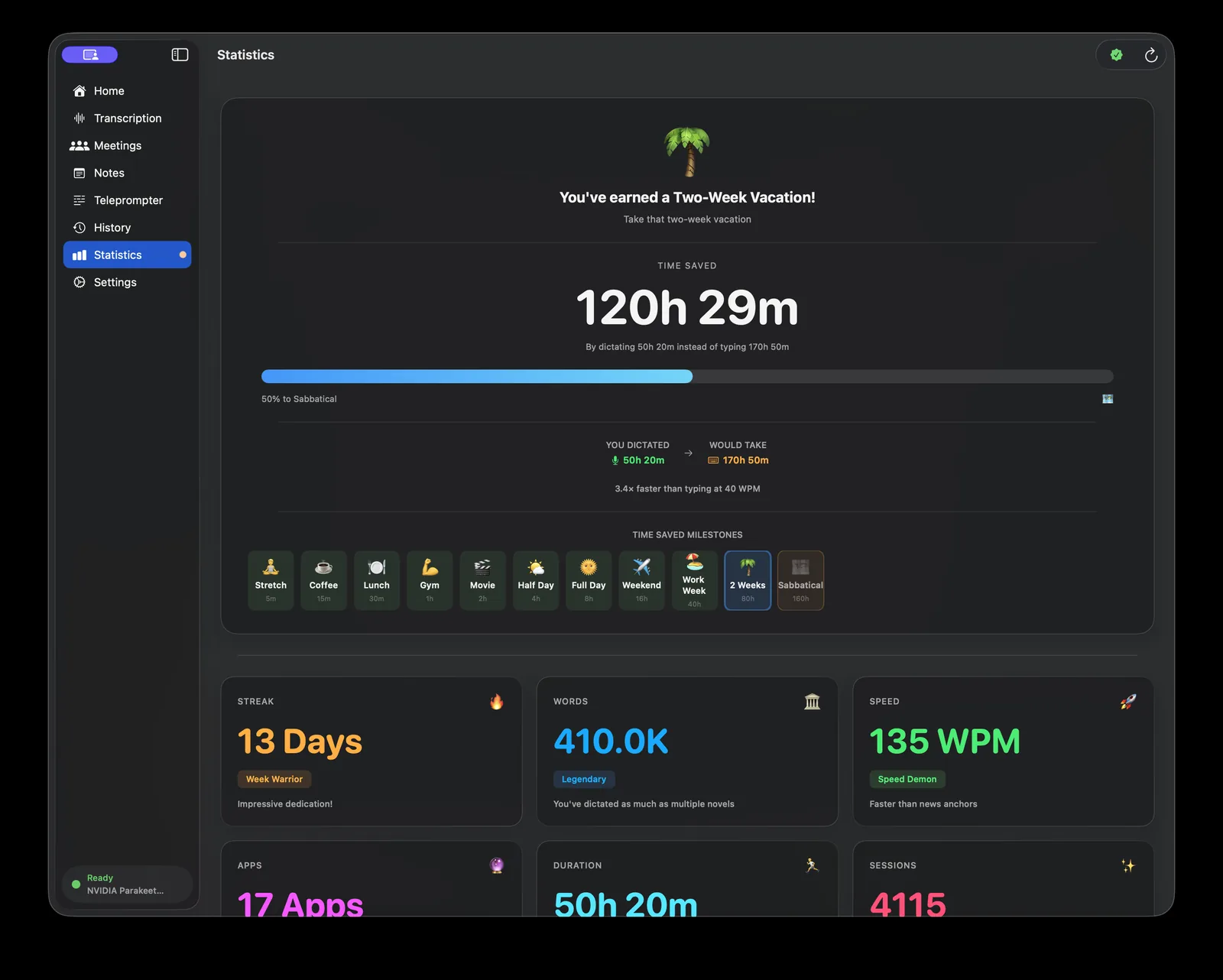
Hero section
At the top of the dashboard, the hero shows:
- Total time saved — An estimate of how much time voice dictation saved you compared to typing. The math: Murmur computes your real speaking speed from your transcripts (total words ÷ recording time), assumes a typing baseline of 40 words per minute, and reports the difference between how long typing those words would have taken and how long you actually spent speaking.
- Reward tier — A milestone based on total time saved: Stretch, Coffee, Lunch, Steak, or Feast. Each tier represents a progressively larger block of time reclaimed.
- Speed multiplier — How many times faster your dictation is compared to the 40 WPM typing baseline, based on your actual words-per-minute data.
Summary cards
Below the hero, four cards give a quick overview:
- Streak — Consecutive days you have used Murmur.
- Total words — Lifetime word count across all dictation sources.
- Total sessions — Number of individual dictation sessions completed.
- Active days — Number of distinct calendar days with at least one dictation.
Filters
Use the filters at the top of the content area to slice the data:
- Source — All, Hotkey, Recording, Import, or Meeting. Isolate a specific dictation mode to understand how you use each one.
- Time range — Last 1 day, last 7 days, last 30 days, or All time. Filters apply to all sections below.
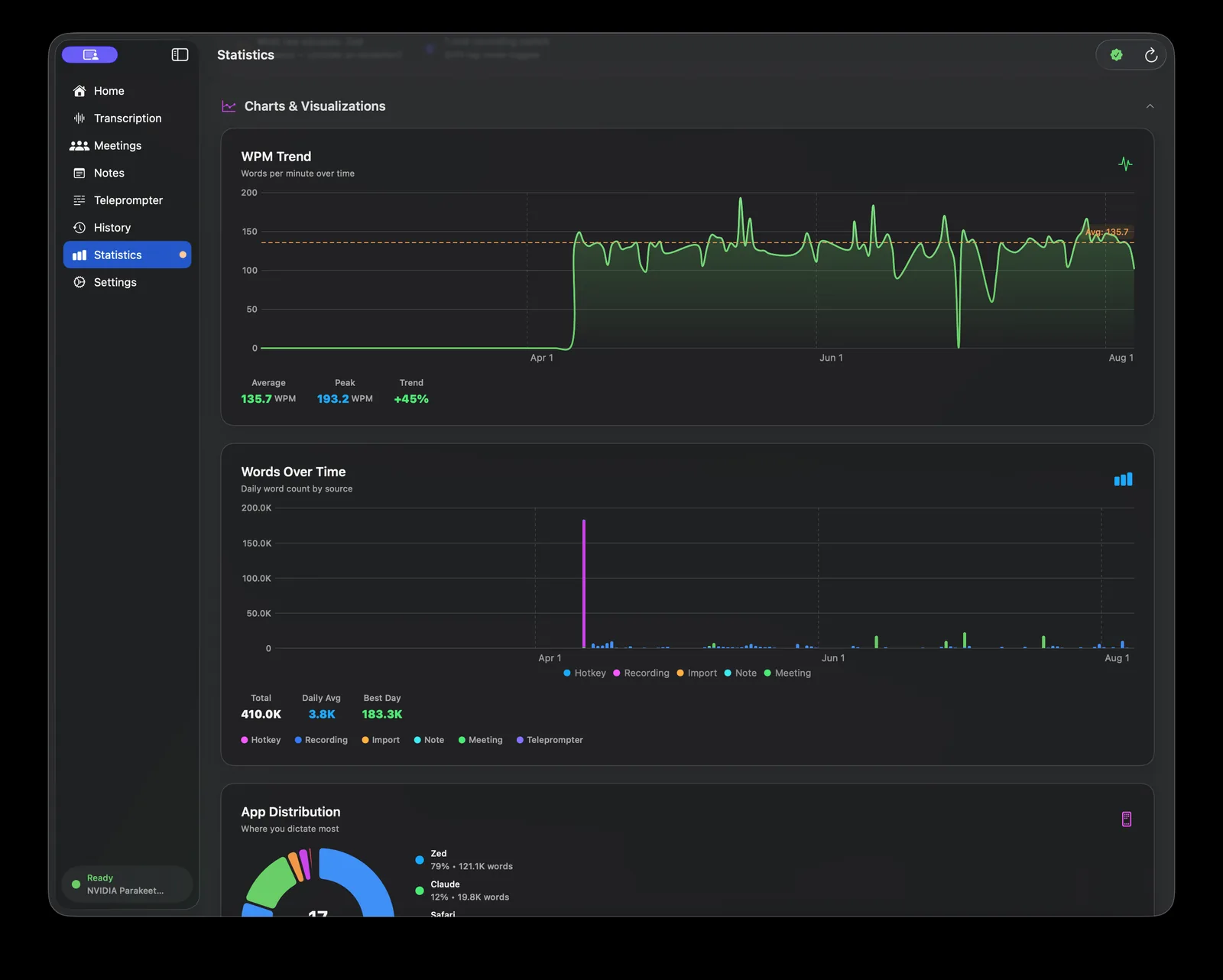
Sections
Productivity
A chart showing word output over the selected time range, broken down by day. Useful for spotting patterns in when you are most productive.
Speed analysis
Words per minute trends over time. Includes your average WPM, your peak session, and a rolling trend line. Dictation speed naturally increases as you get more comfortable speaking to your Mac.
App distribution
A donut chart showing which applications received your dictated text. Requires Accessibility permission to track destination apps accurately.
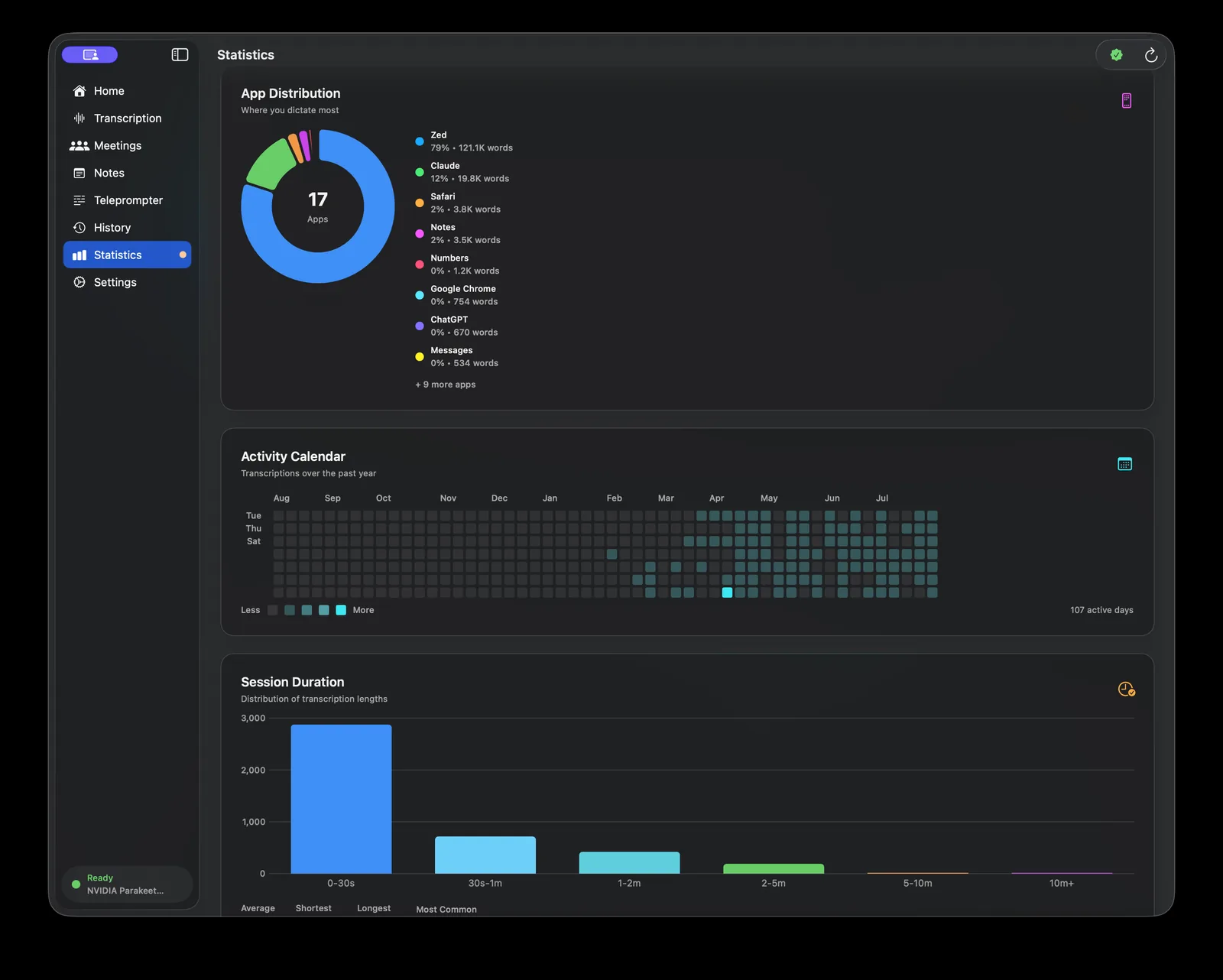
Usage heatmap
A GitHub-style grid showing activity by hour of day across the selected time range. Darker cells mean more words dictated in that hour. Good for seeing whether you are a morning or evening dictator.
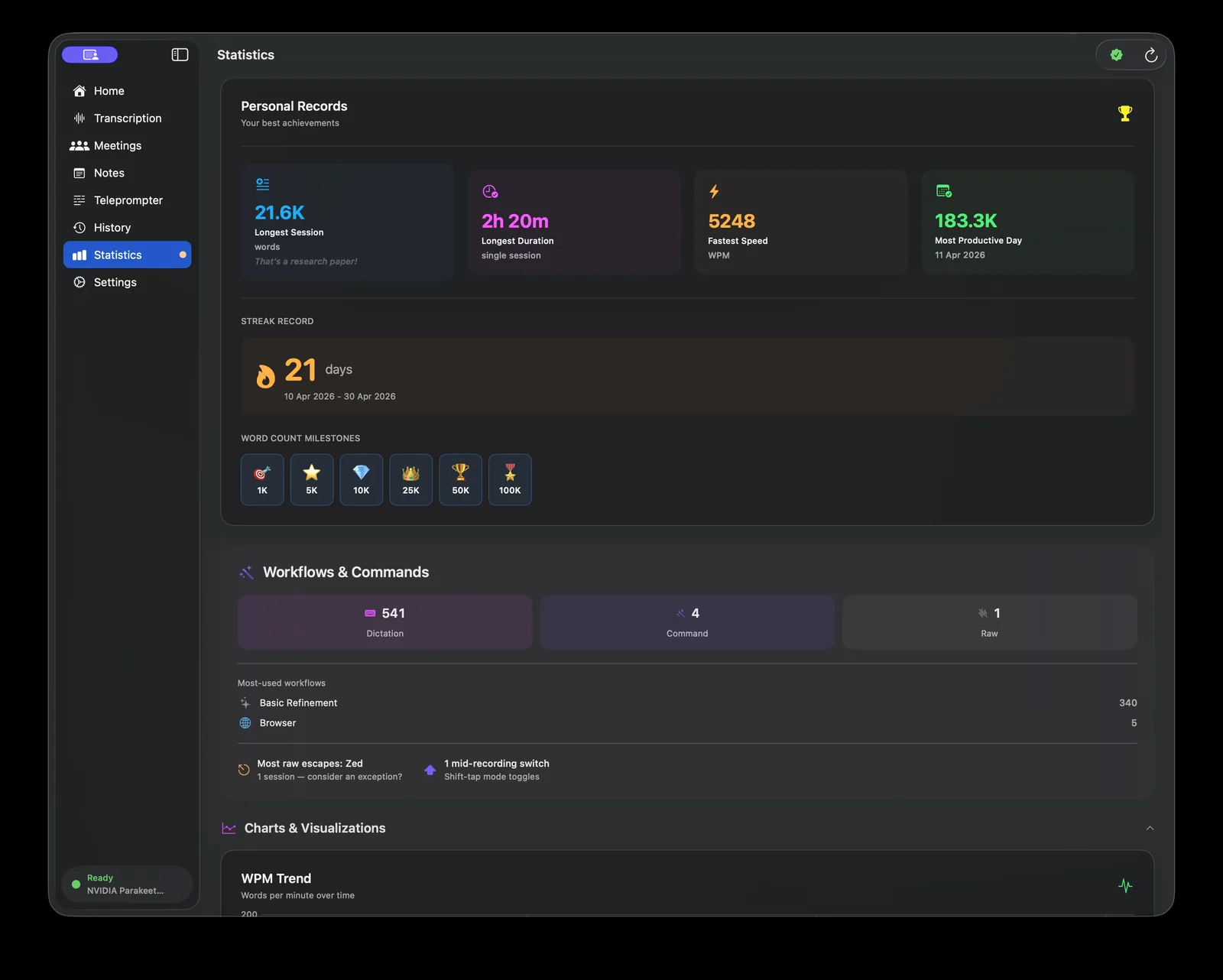
Records
Personal bests: fastest session, longest session, highest single-day word count, and longest streak.
AI refinement stats
How often AI refinement ran, how many words were changed, and which AI provider was used. Only appears if you have used AI refinement at least once.
Meeting stats
Summary of meeting recordings: total meetings, total duration, average meeting length, and total speakers identified. Only appears if you have recorded at least one meeting.
Milestones
Murmur detects notable events and surfaces them as milestone notifications: reward tier upgrades, word count milestones (10K, 50K, 100K words), and new personal records. These appear as a brief overlay when you open the dashboard after crossing a threshold.